Manage Tradovate Accounts Together

You can manage Tradovate accounts together, and the most practical method is a rule-aware cloud trade copier that mirrors positions across accounts while enforcing per-account risk limits. Native Tradovate Group Trade handles multi-account execution within the same brokerage, but the moment you add a TopstepX account, you need a cross-broker solution.
The fastest path to copying trades across Tradovate: connect both accounts to a cloud copier, set per-account contract multipliers and slippage caps, run a full paper session, then go live. Every other approach requires more manual maintenance for the same result.
TL;DR:
- Tradovate’s native Group Trade lets you place one order across multiple Tradovate accounts simultaneously, but only within the same brokerage provider.
- For cross-broker copying to TopstepX, a cloud copier with per-account controls is the lowest-friction, most reliable approach.
- Topstep Combine rules, specifically trailing drawdown, contract limits, and no-overnight requirements, directly affect how you configure copied trades. Set your copier limits below Topstep’s hard limits, not equal to them.
Table of Contents
- How do you use Tradovate Group Trade across multiple accounts?
- What are your real options for copying trades between Tradovate?
- How to set up a cloud copier workflow for Tradovate
- What Topstep rules change how you copy trades into TopstepX accounts?
- Common problems when copying trades across prop firm accounts
- Key Takeaways
- Why a cloud copier is usually the right call for prop traders
- Tradingfloor connects your Tradovate accounts in one place
- Primary sources and further reading
How do you use Tradovate Group Trade across multiple accounts?
Tradovate’s Group Trade feature lets you place a single order that the platform automatically expands into individual orders for each account in the group. Setup takes about two minutes.
- Create the group — Open the account dropdown in Tradovate’s top navigation bar, select Create New Group, and give it a name.
Two hard limitations apply. Group Trade works only between accounts under the same brokerage provider, so a Tradovate account and a TopstepX account cannot share a group. It also does not support bracket or ATM orders. Stops and limits must be entered manually for each account after the initial order fills.
Pro Tip: If your accounts have different sizing ratios (one account trading 2 contracts, another trading 1), set the per-account quantities to reflect that ratio at setup. Then always enter orders as multiples of the group sum. For manual stops after a group fill, use Tradovate’s Positions module to place stop-limit orders on each account row individually rather than re-entering the order ticket.
What are your real options for copying trades between Tradovate?
Three approaches cover most prop trader workflows. Each has a different cost, complexity, and failure profile.
| Approach | Best For | Key Limitation |
|---|---|---|
| Tradovate Group Trade | Same-broker multi-account stacks | No cross-broker support; no bracket orders |
| TradingView + webhook bridge | DIY traders automating Pine Script signals | Requires webhook relay maintenance and per-account risk setup |
| Cloud trade copier | Cross-broker copying with centralized risk controls | Subscription cost; slight latency vs. native |
Option A: Tradovate Group Trade. Low latency, zero extra cost, and built into the platform. If every account you manage sits under the same Tradovate brokerage provider, this is the right call. The moment you add a TopstepX account, it stops working for that account.
Option B: TradingView alerts with a webhook bridge. A common stack routes TradingView Pine Script signals through a webhook relay into Tradovate. Topstep permits automated trading, and this architecture works, but it requires you to maintain the relay, handle token refreshes, and build per-account risk logic yourself. A single relay failure during a volatile session can leave one account unhedged while another is flat.
Option C: Cloud trade copier (recommended for Tradovate together). A cloud copier acts as a single control plane. It connects to both Tradovate via their respective APIs, mirrors the lead account’s net position to each follower account, and applies per-account multipliers and slippage caps before execution. You get centralized risk controls without maintaining your own relay infrastructure. For multi-account prop firm workflows, this is the only approach that scales cleanly across brokers.
Decision rule: all accounts under the same Tradovate broker, use Group Trade. Mixed brokers or more than two accounts, use a cloud copier. DIY preference with time to maintain infrastructure, use the TradingView webhook stack with redundant backstops.
How to set up a cloud copier workflow for Tradovate
The signal flow looks like this: strategy source (TradingView or algo) fires a signal, the cloud copier receives it, and execution connectors push orders to each Tradovate account with per-account sizing applied.
Setup steps using Trading Floor as the control plane:
- Create your Tradingfloor account and log in from any browser (no installation needed).
- Connect your Tradovate account by authorizing the API connection inside Tradingfloor’s account settings.
- Connect your TopstepX account. TopstepX exposes copy-trading settings including lead and follower account selection; authorize the connection and designate the account role.
- Define your lead account or signal source. If you’re routing TradingView alerts, point your webhook to Tradingfloor’s endpoint. You can also fire alerts into every account via TradingView with sub-100ms execution.
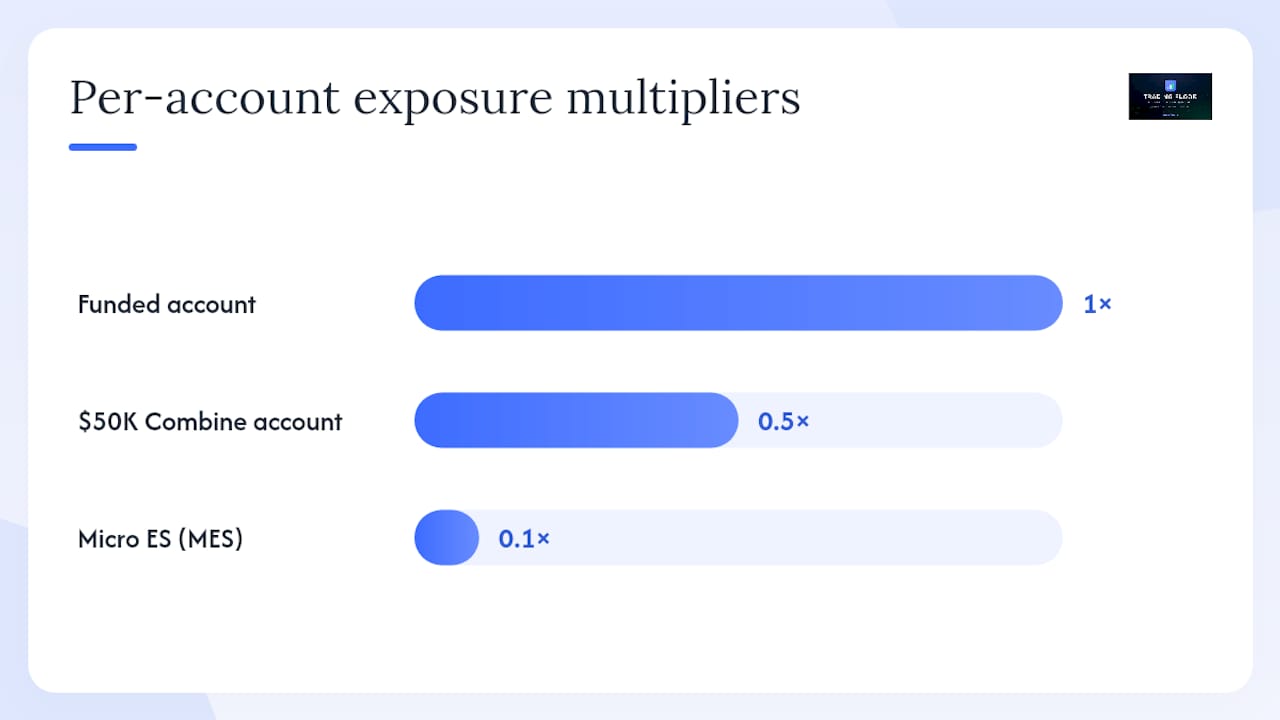
- Set per-account contract multipliers. A $50K Combine account might run at 0.5x while a funded account runs at 1x.
- Set slippage caps and a per-symbol allow-list so no unexpected instrument gets copied.
- Enable real-time alerts for disconnects, rejections, and unusual activity.
Before going live, run this testing checklist:
- Full paper/demo session covering at least one complete market session (open through close)
- Force a partial fill scenario and confirm the copier handles the residual correctly
- Validate that stop and limit orders execute on all accounts, not just the lead
- Confirm no positions remain open at session end (no overnight holds on Combine accounts)
- Test the manual pause button to verify you can halt copying instantly
Pro Tip: During early live testing, use micro contracts on your Combine accounts. A micro ES contract (MES) gives you the same signal validation at one-tenth the dollar exposure. Once you’ve confirmed clean execution across three to five sessions, scale up to full-size contracts.
What Topstep rules change how you copy trades into TopstepX accounts?
Topstep’s trailing drawdown is the rule most likely to breach a Combine account when you’re copying trades. It tracks your real-time equity, including unrealized P&L, not just closed trades. A copied position that moves against you intraday can trigger the drawdown limit before you close it.
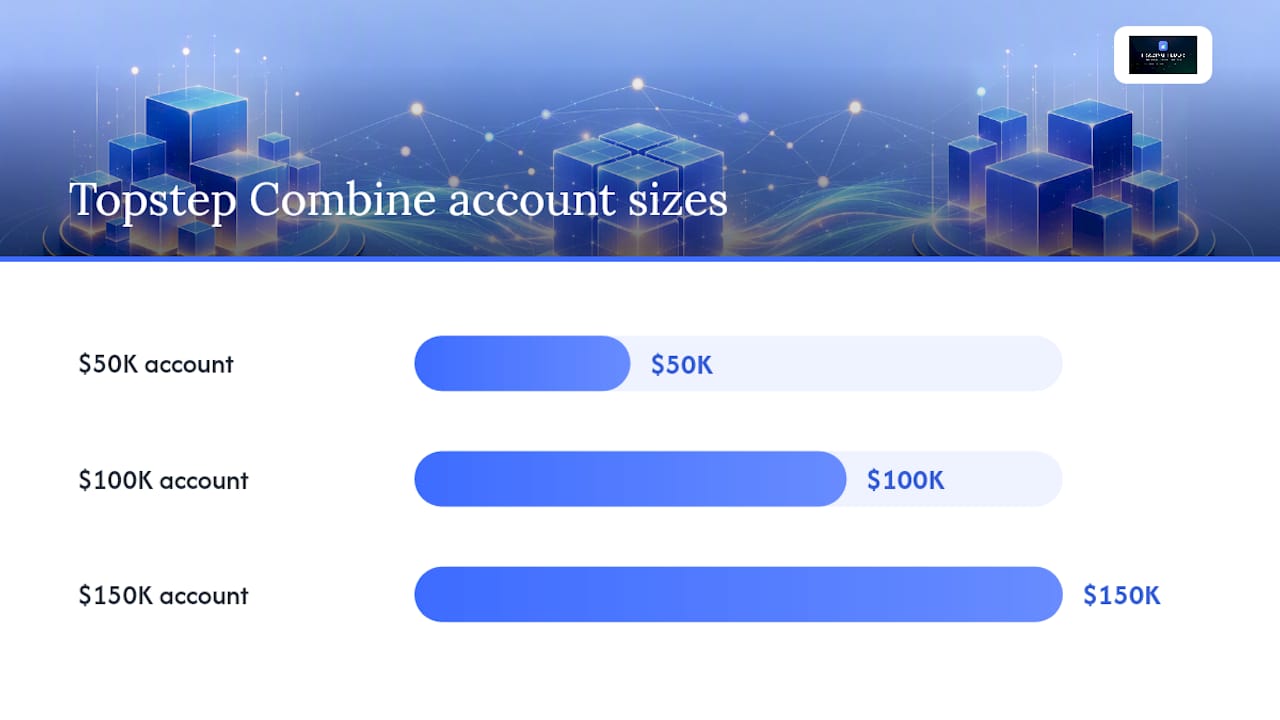
Topstep’s Combine account parameters for the three primary account sizes:
| Account Size | Profit Target | Trailing Drawdown | Notes |
|---|---|---|---|
| $50K | — | — | Drawdown trails until locked at starting balance |
| $100K | — | — | Drawdown trails until locked at starting balance |
| $150K | — | — | Drawdown trails until locked at starting balance |
The trailing drawdown locks at the starting balance once your equity rises high enough, which is the moment to reduce position size and protect the pass. Micro contracts during the trailing phase keep per-tick exposure low and give you finer control over when and how you lock that drawdown.
Three additional rules affect every copied trade:
- No overnight holds. All positions must be closed before the daily session cutoff. Configure your copier’s auto-close rule to fire 5–10 minutes before the cutoff, not at it.
- Minimum trading days. Topstep requires a minimum number of active trading days to pass the Combine. Copying trades on every session day counts; copying all trades in a single session does not satisfy the requirement.
- Contract limits. Each account size has a maximum position size. Set your copier’s per-account max contracts below this limit, not equal to it, to leave a buffer for slippage and partial fills.
Risk-control checklist for copied trades into TopstepX:
- Internal daily stop set inside Tradovate’s risk settings at 80–90% of Topstep’s hard limit
- Copier per-account max contracts set below Topstep’s published maximum
- Slippage cap configured on the copier to prevent runaway fills
- Real-time alert on any account approaching 70% of its daily loss limit
- Auto-close rule active for session end
Tradovate’s internal risk settings let you set a daily loss limit directly in the platform. Use it as a backstop, not a primary control. The copier’s per-account cap should trigger first; Tradovate’s internal stop is the last line of defense.
Common problems when copying trades across prop firm accounts
Most failures fall into four categories. Here’s how to diagnose and fix each one.
Order rejected due to max position. The copied order exceeds the account’s contract limit. Fix: lower the copier’s per-account max contracts and verify the multiplier math before the next session. Check the Tradovate community thread for recent connector-specific rejection codes, since these change with platform updates.
Partial fill on one account, full fill on another. The lead account fills at market; a follower account gets a partial. The copier must handle the residual quantity, either by canceling the remainder or re-queuing it. Confirm your copier’s partial-fill behavior in settings before going live.
Bracket orders not copying correctly. Neither Tradovate Group Trade nor most webhook bridges natively support bracket/ATM orders across accounts. Map bracket logic to a stop order plus a separate limit order, placed sequentially after the entry fills. This is manual on Group Trade; a cloud copier can automate the sequence.
API token expiration. TopstepX and Tradovate sessions expire. A token that refreshes mid-session can cause a brief disconnect. Set your copier to alert you immediately on any authentication failure and keep a manual trading window open as a fallback.
Preflight checklist before every live session:
- Verify API connectivity for each account (green status on the copier dashboard)
- Confirm no stale positions from the prior session
- Run a one-contract paper copy to confirm signal-to-execution path is live
- Check Tradingfloor’s system status for any platform alerts
- Confirm auto-close and daily-stop rules are active
Key Takeaways
A cloud trade copier with per-account risk controls is the only practical way to manage Tradovate accounts together when accounts span different brokers.
| Point | Details |
|---|---|
| Choose the right approach | Use Tradovate Group Trade for same-broker accounts; use a cloud copier for cross-broker TopstepX workflows. |
| Topstep trailing drawdown is intraday | It tracks unrealized P&L in real time; set copier limits below Topstep’s hard limits to leave a buffer. |
| Test before going live | Run at least one full paper session, force partial fills, and validate stop execution on all accounts. |
| Use micro contracts early | MES and other micros let you validate live execution on Combine accounts without risking the drawdown limit. |
| Tradingfloor as control plane | Tradingfloor connects Tradovate accounts with per-account multipliers, slippage caps, and auto-reconciliation in one browser-based dashboard. |
Why a cloud copier is usually the right call for prop traders
The argument for native Group Trade is real: lower latency, no subscription, and no third-party dependency. If you’re running two Tradovate accounts under the same broker and your strategy is discretionary, Group Trade is the right tool. No argument there.
The problem is that most prop traders don’t stay in that configuration for long. You pass a Combine, get a funded account, start a second Combine, and suddenly you have accounts at different stages, possibly different brokers, with different risk limits. Managing that manually is where errors happen, and in prop trading, errors don’t just cost you a trade. They cost you the account.
A cloud copier’s real value isn’t speed. It’s the single control plane. One place to see every account’s status, one place to adjust multipliers when you want to scale down after a near-miss, one place to pause everything if something goes wrong. The subscription cost is real, but it’s small relative to the cost of a rule breach on a funded account.
The tradeoff I’d push back on is the idea that DIY webhook stacks are a serious alternative for most traders. They work until they don’t, and the failure modes (token expiration, relay downtime, partial fills with no handler) tend to surface at the worst possible moment. If you have the engineering background to maintain that stack reliably, it’s a valid choice. If you’re a trader first, the maintenance burden will eventually cost you more than the subscription.
Quick rules of thumb: all accounts under the same Tradovate broker, use Group Trade. Mixed brokers, more than two accounts, or funded accounts where a rule breach has real consequences, use a cloud copier.
Tradingfloor connects your Tradovate accounts in one place
Prop traders running multiple Combine and funded accounts need more than a signal relay. They need per-account controls that actually respect the rules of each account. Tradingfloor is built for exactly that workflow.

Connect your Tradovate accounts, set per-account contract multipliers and slippage caps, and run your first paper session in under 30 minutes. No installation. No relay maintenance. Auto-reconciliation keeps positions in sync across accounts, and real-time alerts flag any account approaching its daily limit before it becomes a breach.
Before you go live, use the Topstep Trailing Drawdown Calculator to model your exact account size and confirm your per-account multipliers are sized correctly. For a direct comparison of copier options built specifically for this workflow, the Topstep Trade Copier page walks through the full feature set.
Pro Tip: Start your first live session on micro contracts with a 0.5x multiplier on any active Combine account. Once you’ve confirmed three clean sessions with no rule flags, scale to your target size.
Tradingfloor starts with a 30-day free trial. See how it compares to other copier options, then connect your first account today.
Primary sources and further reading
These are the core references used for procedures, rules, and implementation guidance in this article.
- Can I trade once and have orders sent to multiple accounts? - Tradovate Help Center
- How to Pass Topstep — Step-by-Step Guide (2026) | PropJournal
- How to Pass Topstep — 2026 guide (Falcon AI)
- How to Pass the Topstep Combine — 2026 Guide for Algorithmic Traders
- TopstepX™ | Topstep Help Center
- Tradovate Risk & Account Settings | Tradeify Help Center
- Copy Trading Multiple Prop Firm Accounts on Tradovate — Tradovate Community
- Topstep Trailing Drawdown Calculator (Trading Floor)
This article provides general information about trading platform features and prop firm rules. Rules, fees, and platform capabilities change frequently. Verify current Topstep Combine parameters directly with Topstep and confirm platform features with Tradovate before trading live funded accounts.
Recommended
- What Tools Let You Mirror Trades from One Tradovate Account to Several Others? — Trading Floor
- Topstep Trade Copier — mirror trades across TopstepX accounts (browser-based)
- Topstep Trailing Drawdown Calculator (free, current numbers)
- Best Trade Copier for Topstep and Tradovate Prop Accounts — Trading Floor
Trading Floor mirrors every trade across your Tradovate & Rithmic accounts in real time, from $25/mo.
Start copying →