Trade one account.
Fill every one of them.
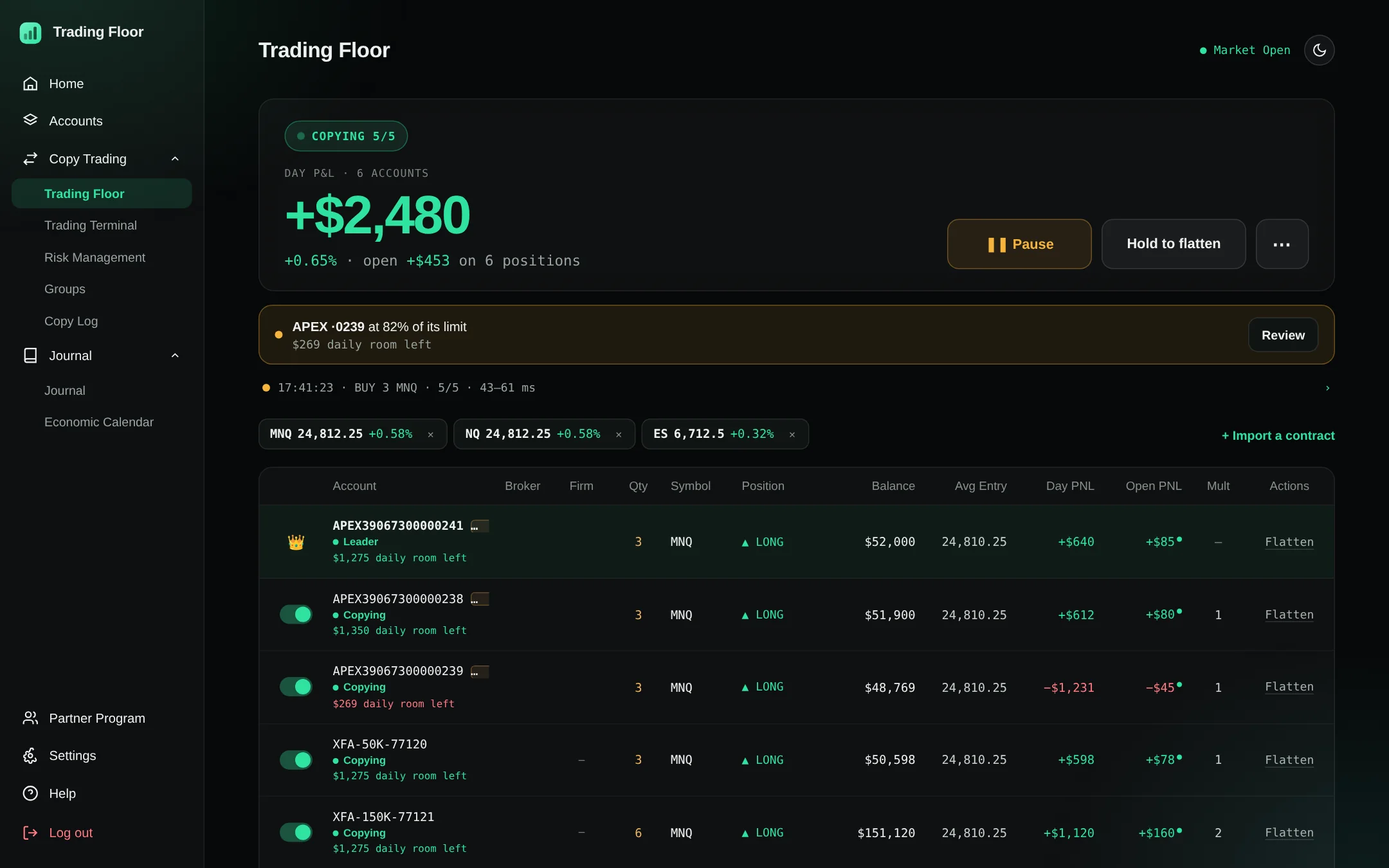
One leader account. Every funded account follows in ~50 ms, each inside its own daily-loss and drawdown limits.
Rithmic, Tradesea and Volumetrica are closed to new connections for now; existing connections keep working. Ask us at support@tradingfloor.me.
Every fill. Every account. Measured at a live 50ms median.
Copy trades across every account
Connect your brokers with OAuth where the platform offers it, and encrypted credentials where it doesn't. Crown one account as leader, activate your followers, set each multiplier and contract cap, then trade exactly like you always do.
Your own risk limits, per account
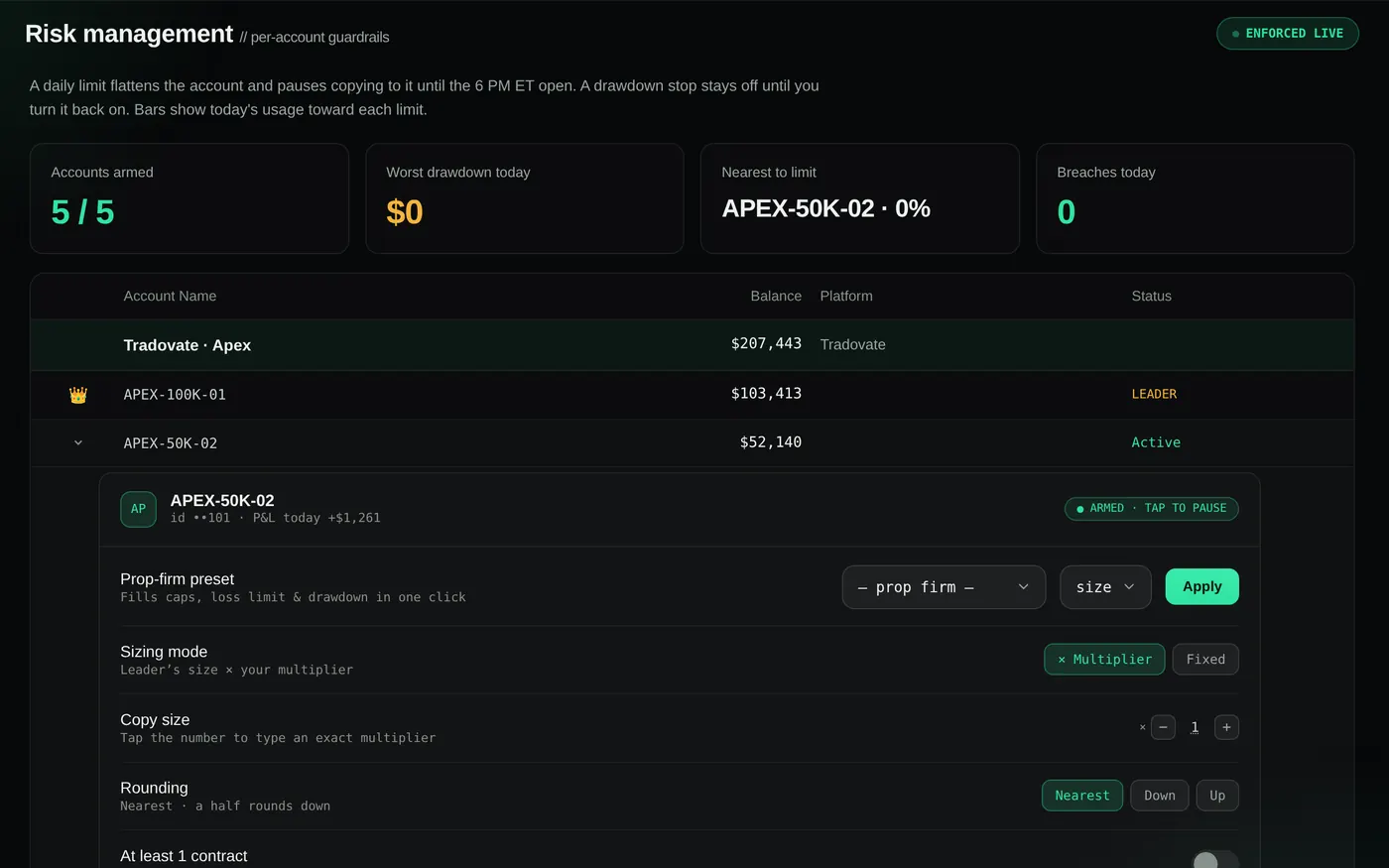
Set a daily loss limit, profit target, trade cap and slippage cap per account, or apply your firm's preset in one click. Breach one and Trading Floor flattens that account and cuts copying to it for the rest of the session. Limits are checked every few seconds while the copier runs, not on every tick, so a fast market can move past one between checks: set yours with a cushion inside your firm's rules, which always apply. Red-folder news? Auto-pause holds new entries around every high-impact release.
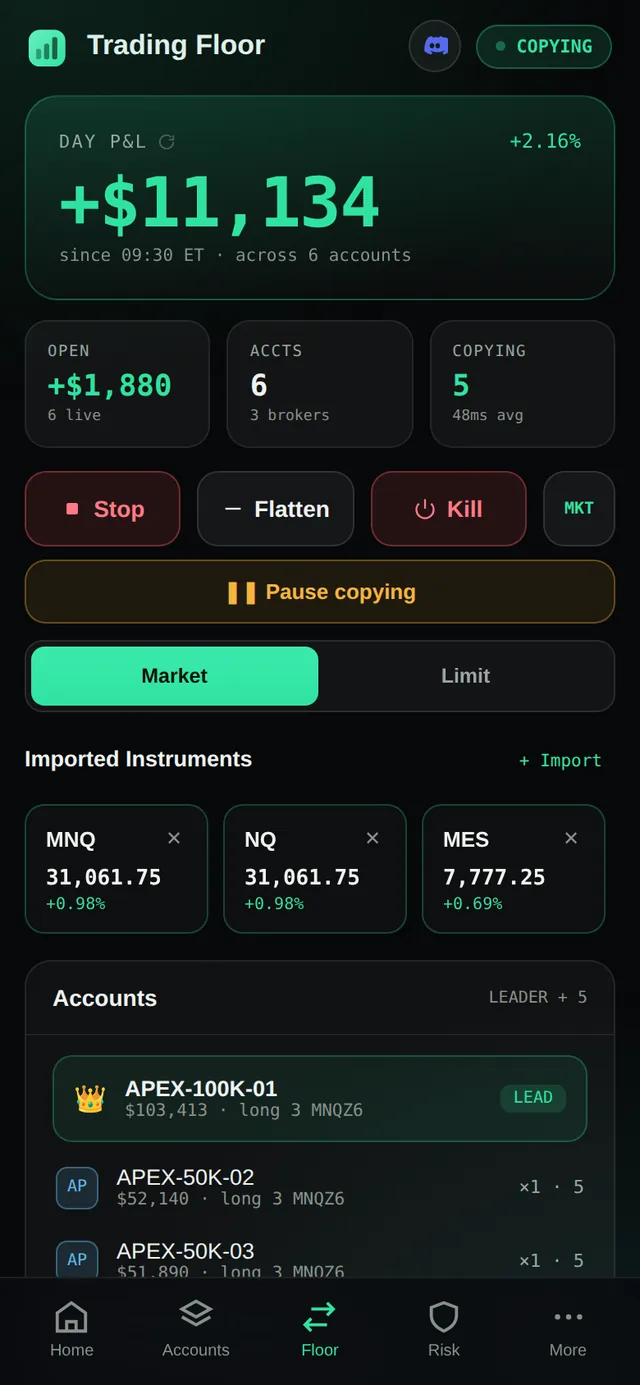
The whole floor, on your phone
Trade from the Trading Terminal with live bid and ask, flatten everything or pause the engine with one tap, and get a push the moment a copy fills, a limit hits or an account locks itself out. On iPhone a Live Activity keeps the day's P&L on the lock screen and in the Dynamic Island while the floor runs.
Download on theApp Store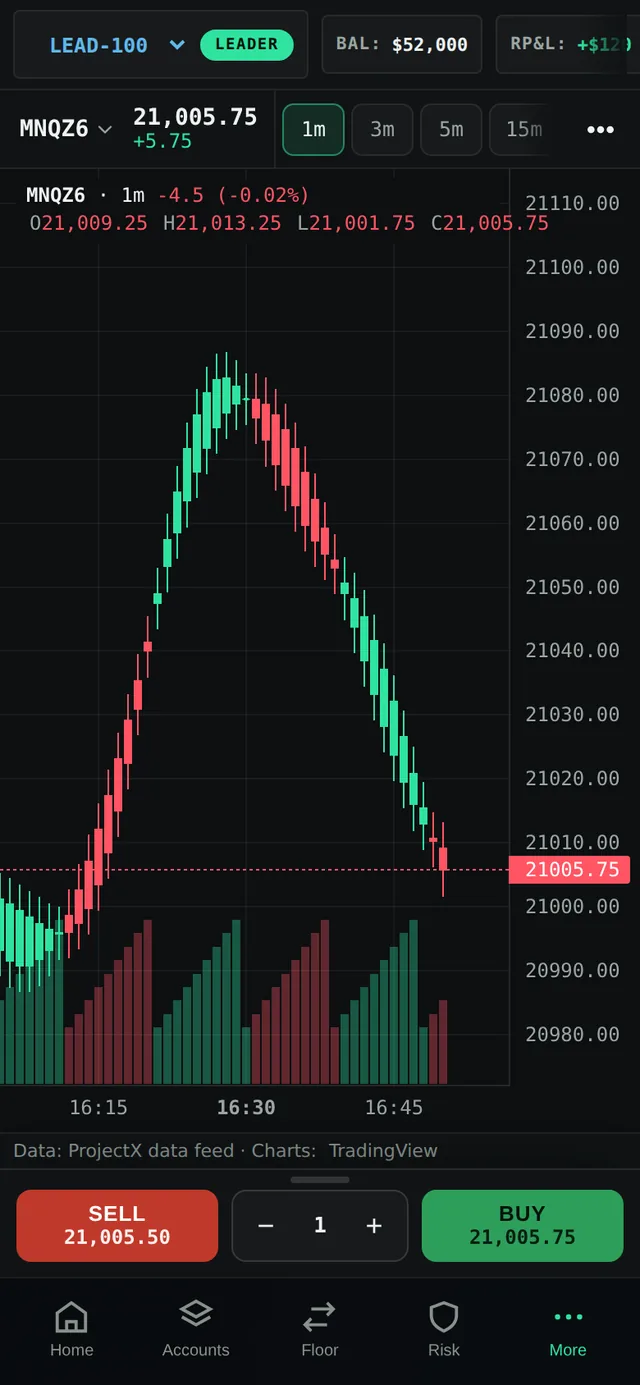
Get paid to bring your desk
Share your link and earn recurring commission for as long as your referrals keep trading. Track clicks, signups and payouts in your Partner dashboard — and unlock tier rewards as you scale.
Become a partnerMore than a copier
The terminal, the risk desk, the journal and the proof, in one browser tab — or watch the real demo.
Trading Terminal
Chart, live bid/ask and one-tap Buy, Sell and Flatten on the leader — every follower fills with it.
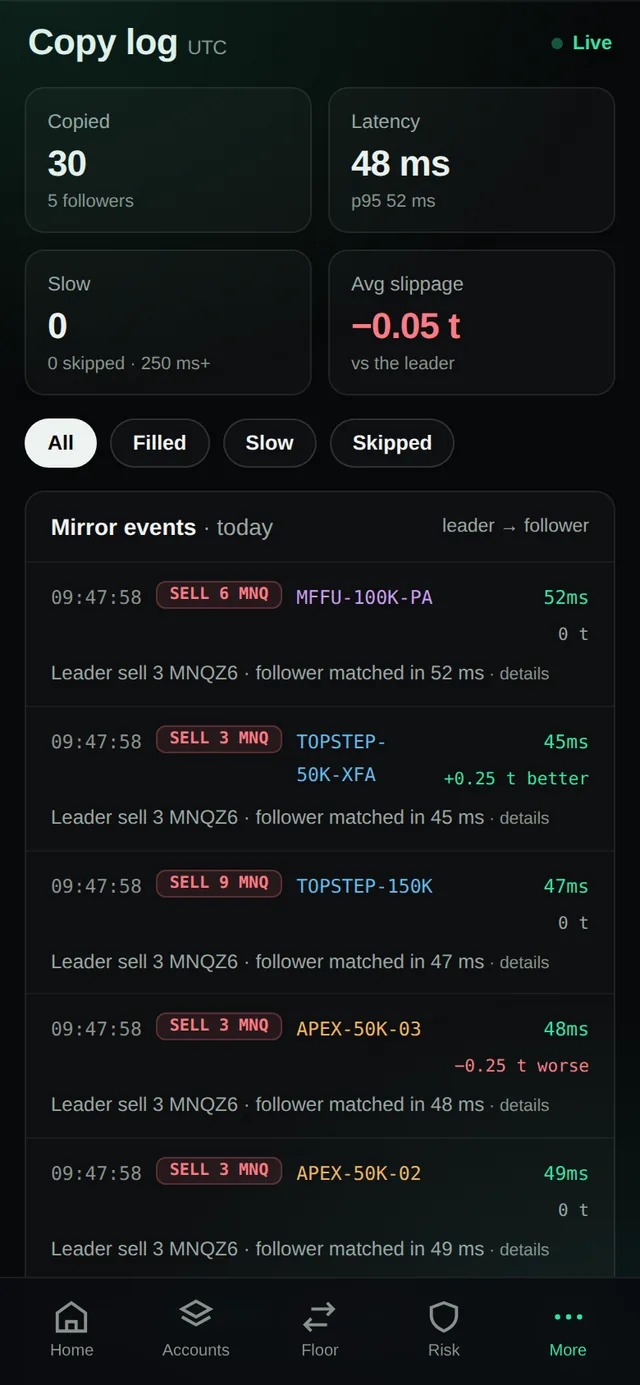
Copy Log
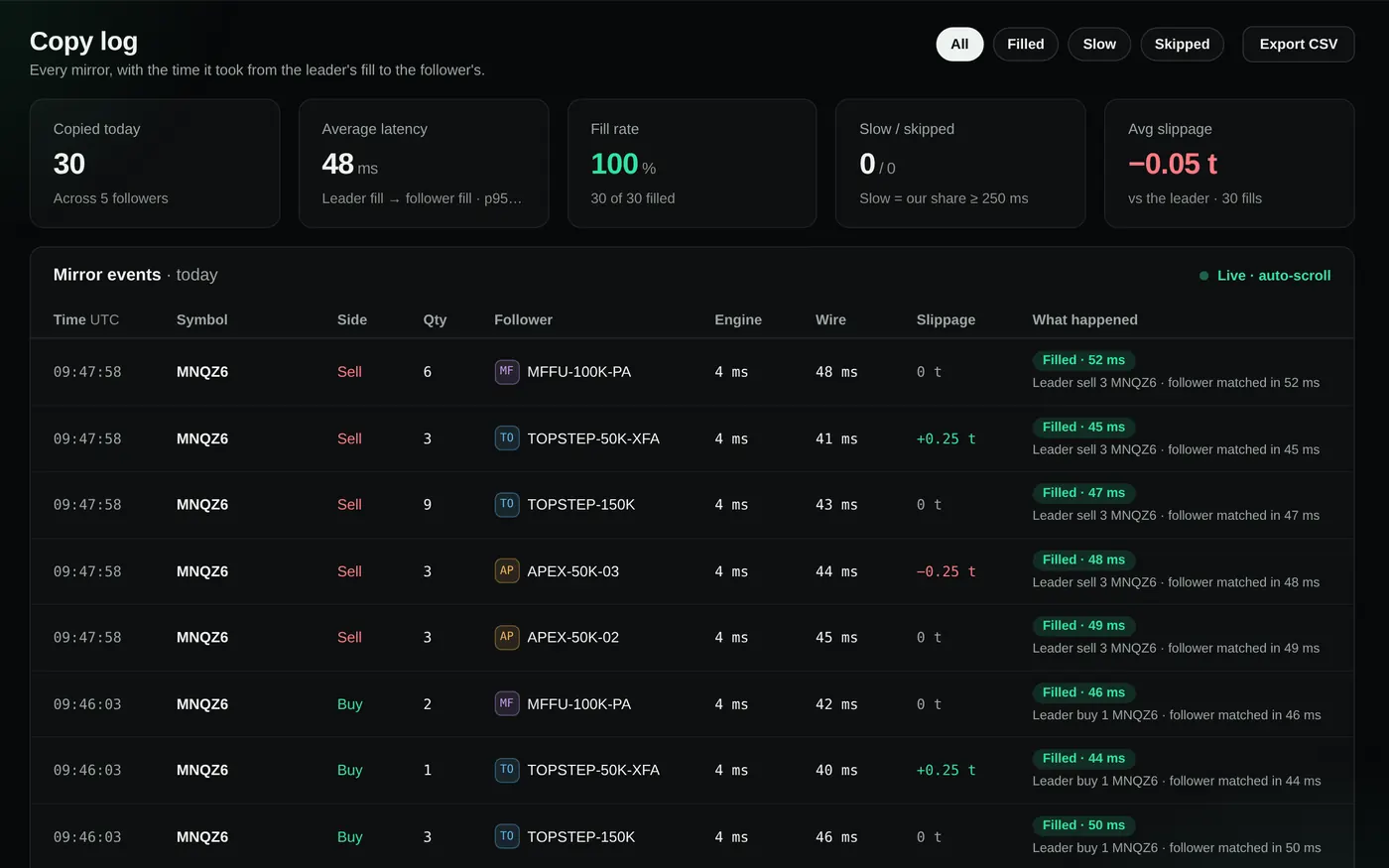
Every copy, skip and clip with a plain-English reason and the measured latency. Export to CSV.
Risk desk
Daily loss, profit target, trade and slippage caps per account, prop-firm presets, Safe Start.
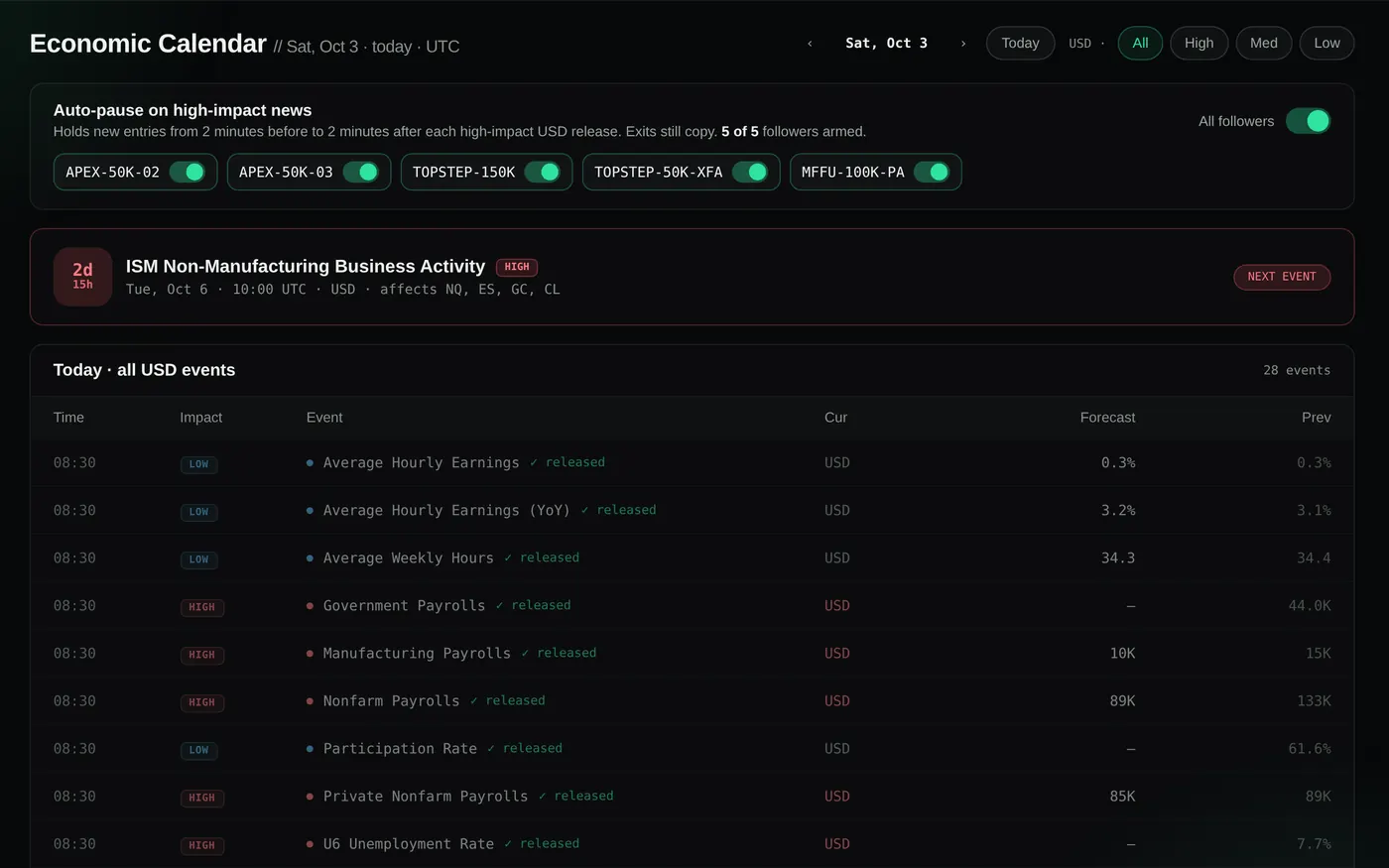
Economic Calendar
High-impact USD releases with auto-pause: new entries hold around the print, exits still copy.
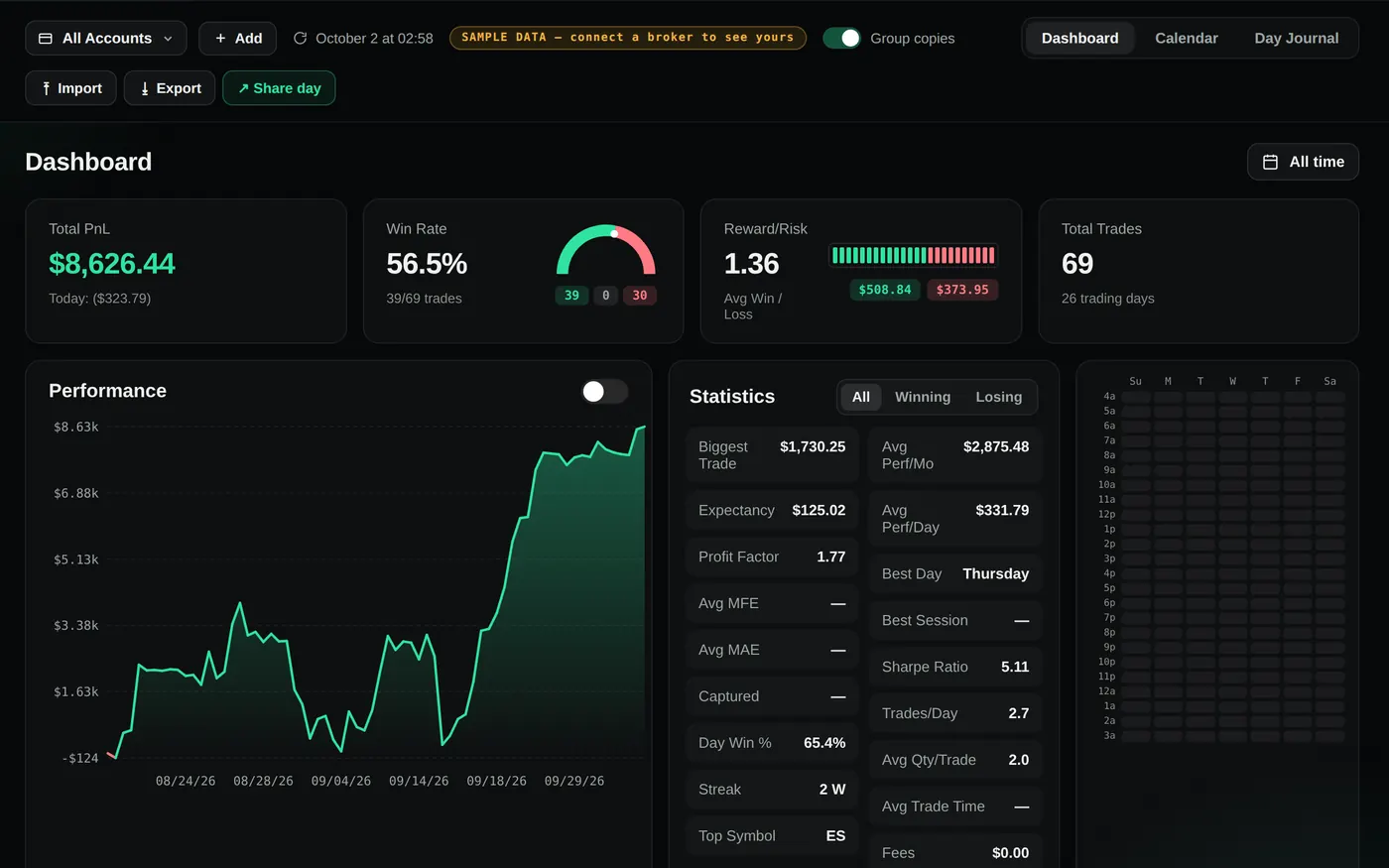
Journal
Every day gets a card built from your fills: P&L, trades, win rate, notes and screenshots.
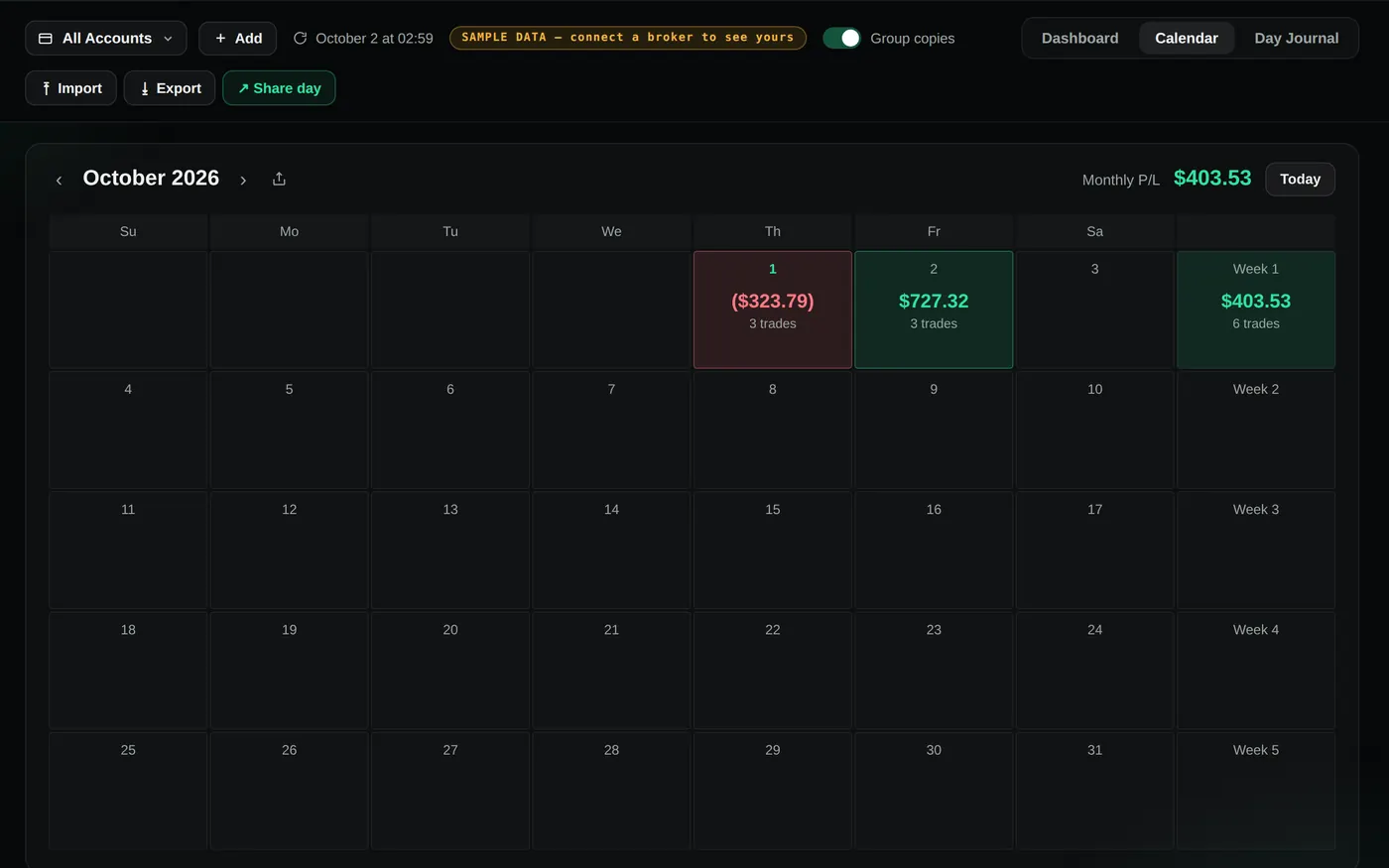
P&L calendar
The month at a glance, green and red, with weekly totals and payouts logged beside the days.
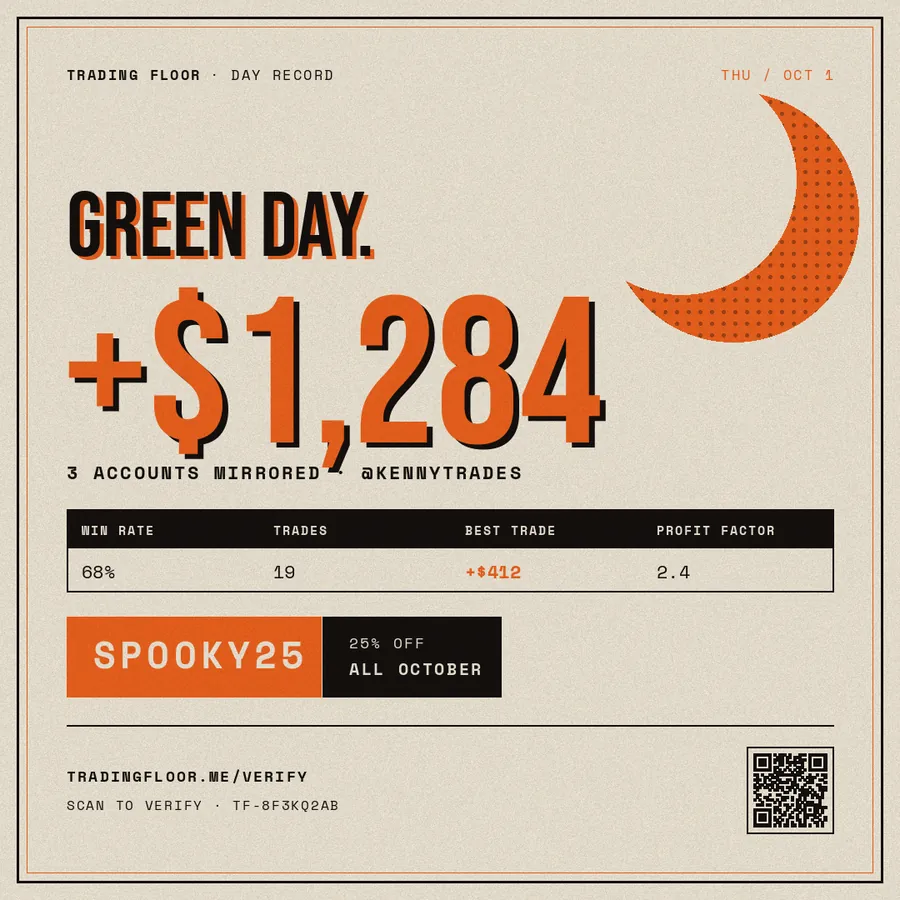
Verified share cards
One tap turns a green day or a payout into a card with a public proof link anyone can check.
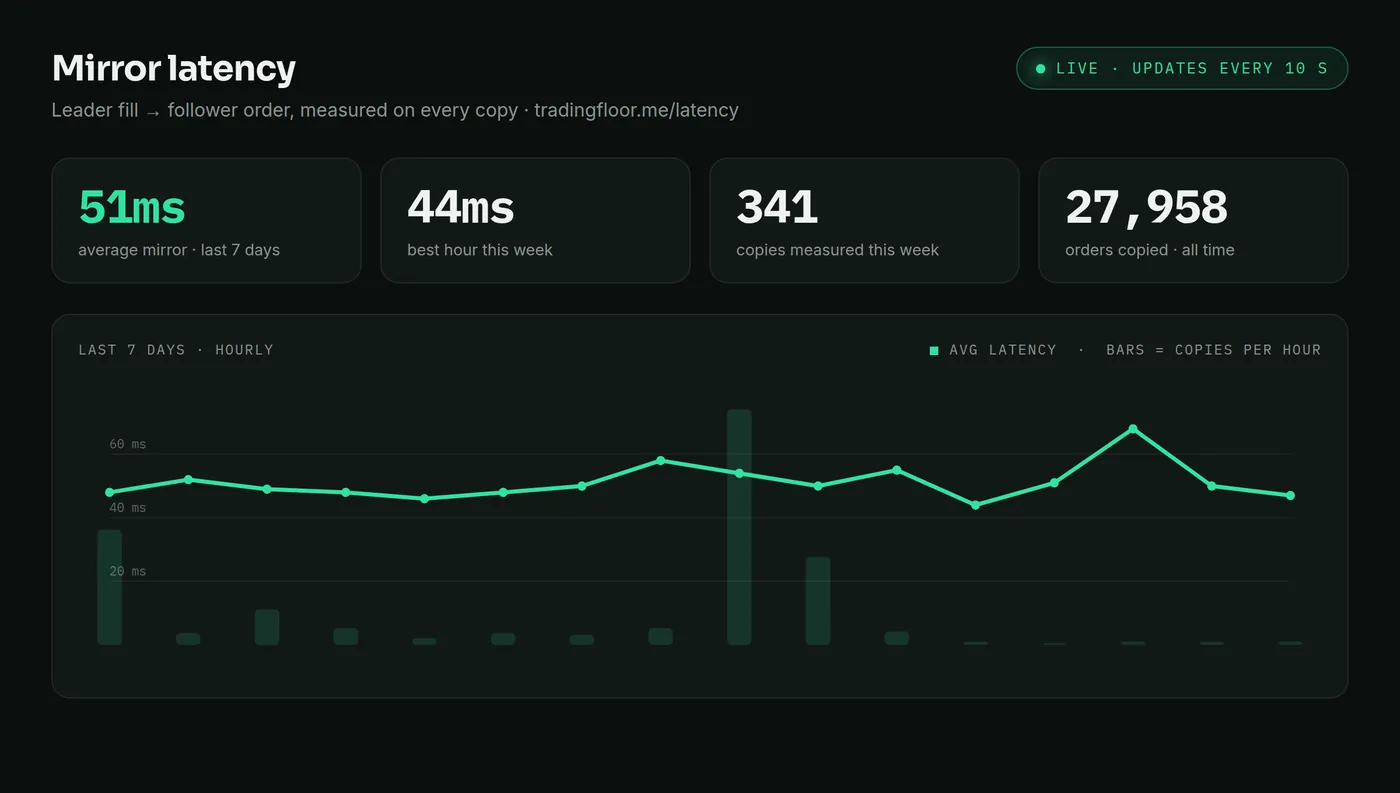
Public latency page →
Median and p95 for the whole platform, measured on every copy and published live.
The market doesn't wait.
Neither do we.
Fills reach your followers in 50ms at the median, from the leader's fill to the follower's order (3ms of it is our engine; the rest is the broker's network) — measured on every order in the last 24 hours — so a dozen accounts behave like one. After a dropped connection the engine reconnects and reconciles positions; if the copier itself was down while the leader closed or changed size, you get an alert (a push, or a Copy Log note for a size change) to close or keep the copy.
A week on the public latency page, captured Oct 2026 — the live page updates every 10 seconds, the status page shows floors copying right now.
Built for the worst day, not the best demo
Everything below is engineering, not marketing. We'd rather miss a copy than fill you twice — and you can watch it all run live before connecting a single account.
Never a blind resend
If an order's fate is ever ambiguous — a timeout, a dropped socket — the engine reads the truth back from your broker before doing anything else. Double-fills are the failure we engineered out first.
Every decision, logged
Copied, skipped, or clipped — every single decision lands in your Copy Log with a plain-English reason and the measured latency. Nothing happens to your accounts that you can't audit.
Crash-proof floors
Your floor's desired state is persisted on every change. If a server dies mid-session, a supervisor restarts your copier in the exact state you left it — running, paused, or killed stays killed.
Your money can't move
Broker trading APIs can place orders — they cannot withdraw funds. Tradovate connects by OAuth (we never see your password), direct credentials are encrypted, and disconnecting revokes access instantly.
Safe Start, by default
Your very first session runs every follower capped at 1 contract until you lift it. Watch it mirror with training wheels on — take real size only when you've seen it work.
Don't trust us — watch it live →
Our public status page streams real telemetry: orders mirrored in the last 24 hours, typical copy speed, how fast even our slowest moments are, and floors copying right now. Updated every 10 seconds.
Simple pricing. Full feature set on every plan.
Every plan has the whole product: the copier, the Trading Terminal, per-account risk caps, news auto-pause, Copy Log, journal and calendar, verified share cards, push alerts and the iOS app. No per-account fees. Start free, cancel anytime.
Free includes 0 broker connections: a plan is needed to connect a broker and copy.
7-day free trial, card at checkout, a $1 card check at trial start (counts toward your first invoice), nothing else until it ends · one free trial per customer and per card: a prepaid card, or a card that already had a free trial, is charged for the first month at sign-up instead · cancel anytime from your billing portal, effective at period end · fees are non-refundable except where required by law or as set out in the Terms (terms): a full refund within 7 days of the charge if the free trial could not be applied (support@tradingfloor.me) · prices in USD.
Questions, answered
Does my prop firm allow trade copiers?
Each firm sets its own rules on copying, and some restrict automation or copying across firms. Check your firm's rules page before going live. Trading Floor respects each firm's position limits automatically and gives every account its own risk caps.
Does it copy stops, limits and brackets, or only market fills?
Both. Each follower mirrors the leader's net position per contract, so entries, adds, reductions and flattens are copied, and working stops and limits propagate to the followers rather than only market fills.
How do you measure the latency, and where can I see it?
Every copy is timed from the leader's fill to the follower's order and written to your Copy Log. The platform-wide median and p95 are published at tradingfloor.me/latency and update every 10 seconds.
Which brokers and prop firms work?
Tradovate (including NinjaTrader brokerage accounts), TopstepX and the other ProjectX firms, Rithmic, and Volumetrica. Rithmic, Tradesea and Volumetrica are closed to new connections for now; existing connections keep working. Ask us at support@tradingfloor.me. Confirm your prop firm permits copiers before going live — some restrict automation.
Do I need a VPS or a PC left on?
No. The engine runs in the cloud; your browser or phone is only a window onto it. Close the laptop and the floor keeps copying until you stop it or the copier turns off at the daily close.
Can it pause copying around news?
Yes. The Economic Calendar's auto-pause holds new entries from two minutes before to two minutes after each high-impact USD release, per follower. Exits still copy.
How many accounts can I run, and does it cost more per account?
Builder mirrors up to 5 accounts on 1 broker connection; Starter up to 20 accounts across 2 broker connections; Pro up to 80 accounts across 4 broker connections; Copymaxxer up to 120 accounts across unlimited broker connections. The price is flat with no per-account fees.
Do you ever see my broker password?
No. You log in on the broker's own OAuth page where it is offered. We only receive a short-lived token; direct credentials, where a broker requires them, are encrypted — never your password in the clear.
What happens if my connection drops?
While the copier runs, a dropped connection reconnects and the engine reconciles positions, so followers match the leader again. If the copier itself was down (a restart, or an expired broker login) while the leader closed or changed size, it does not close or resize the follower's copy for you: you get an alert (a push when the leader closed, a Copy Log note when it changed size) and decide whether to close or keep it. A trade the leader opened while it was down is not bought late; the followers sit it out and copy the next one.
Is there a free trial?
Yes — every monthly plan starts with a 7-day free trial. You add a card at checkout and a $1 card check is charged at trial start (it counts toward your first invoice); nothing else until the trial ends, and you can cancel anytime before then. Yearly plans do not include a trial. One free trial per customer and per card: a prepaid card, or a card that already had a free trial, is charged for the first month at sign-up instead. If that happens you can cancel within 7 days of that charge and ask for a full refund of it at support@tradingfloor.me.
When can I reach a person?
Human support: 5–10 pm Central (America/Chicago), every day, at support@tradingfloor.me or the in-app chat. Expect a reply the same evening; messages after 10 pm are answered the next evening.
The cloud trade copier for futures traders running multiple funded accounts.
All systems operationalBuilt by a funded trader — @kennytrades
Trading involves substantial risk. Not financial advice; no profitability is claimed or guaranteed. You are responsible for every order placed. Many prop firms restrict copiers or automation — confirm your firm's rules before going live.