Trade the Same Strategy Across Multiple Brokers

Running the same trading strategy across multiple broker accounts simultaneously is fully achievable. The standard industry term for this practice is multi-broker trade replication, and it relies on coordinated execution tools, fill monitoring, and consistent risk rules to keep every account aligned. Traders managing funded and evaluation accounts on platforms like Tradovate and TopstepX use this approach to reduce manual order entry, compare execution quality, and spread counterparty risk. The difference between accounts that drift apart and accounts that stay in sync comes down to infrastructure, monitoring, and discipline.
How to trade the same strategy across multiple brokers
The two main infrastructure options for multi-broker trade replication are trade copiers and webhook fan-out systems. A trade copier like AlgoWay Trade Copier uses Clone Mode to duplicate one TradingView alert to multiple broker accounts at the same time. One main webhook fires, and up to two clone webhooks execute the same trade command across separate brokers. This removes manual duplication entirely and keeps every account receiving the same signal at the same moment.

The second option is a TradingView webhook fan-out architecture. A single incoming alert routes to a receiver service, which then duplicates it to multiple broker endpoints. Each endpoint can have its own lot-size multiplier, allowed symbols list, and risk limits. This means you run one clean alert on TradingView, and the receiver handles all broker-specific customization downstream.
Both approaches require careful configuration before going live:
- Symbol mapping: Confirm that instrument names match exactly across brokers. ES on one platform may appear as ES1! or MES on another.
- Lot size multipliers: Set proportional sizing per account based on balance or equity, not fixed lots.
- Risk limits per broker: Define maximum position size and daily loss limits for each destination account.
- Idempotency and retry safety: Fan-out receivers must deduplicate webhook messages to prevent duplicate trades during network jitter or retry attempts.
Pro Tip: Keep your TradingView alert payload simple and generic. Push all broker-specific logic into the receiver or copier configuration, not the alert itself. This makes it far easier to add or remove broker destinations without rewriting alerts.
How do execution differences affect multi-broker strategy results?
Execution differences are the biggest threat to consistent results when you apply strategy to various brokers. Slippage and partial fills affect performance even when every account receives the exact same signal. Two accounts can enter the same trade one second apart and exit with meaningfully different P&L because of liquidity pool differences and matching engine behavior.
The metrics you must track for every order across every broker are:
- Entry and exit prices: Compare actual fill prices against the signal price to measure slippage per broker.
- Fill timestamps: Log the exact time each order was sent, partially filled, fully filled, or rejected.
- Partial versus complete fills: A partial fill on one broker and a full fill on another creates immediate position size divergence.
- Order rejections: Rejections signal a configuration problem, a margin issue, or a broker-specific rule violation.
- Latency analysis: Tracking order lifecycle events with timestamps helps distinguish network delays from true execution variation.
Set an acceptable deviation threshold before you go live. A fill price deviation of one or two ticks on a futures contract may be normal. A deviation of five ticks on the same contract is a problem worth investigating. Define these thresholds explicitly so your monitoring system can flag real issues without generating constant noise.
Comparing slippage and fill behavior across brokers provides the fastest clarity on why P&L diverges when trading strategies for several brokers show different results on the same signal.
Automated pause triggers are the most reliable response to fill divergence. If the master account fills cleanly, but a follower account partially fills or rejects an order, automatic pausing isolates the issue and prevents the accounts from drifting further apart. Manual intervention after the fact is slower and more error-prone.
What are the best practices for risk and sizing across broker accounts?
Consistent risk management is what separates a well-run multi-broker setup from a collection of loosely connected accounts. Treating your strategy as source code means writing down every rule explicitly: what orders get copied, how sizing adjusts per broker, and what conditions trigger a pause or stop. Explicit rules remove the guesswork that causes drift.
Follow these steps to build a consistent risk framework across accounts:
- Use proportional sizing. Base position size on account balance or equity, not fixed lot counts. A $50,000 funded account and a $25,000 evaluation account should not receive the same fixed lot size.
- Understand contract specs per broker. Margin requirements, tick values, and minimum order sizes differ between brokers. A one-lot ES trade on Tradovate carries different margin than a one-lot trade on a different platform.
- Define explicit copy rules. Specify which order types get replicated (market, limit, stop), which symbols are allowed, and what the maximum position size is per account.
- Account for rounding differences. Proportional sizing calculations often produce fractional lots. Define a rounding rule (round down, round to nearest) and apply it consistently across all accounts.
- Audit symbol mapping before every new instrument. Inconsistent symbol mapping is one of the most common causes of failed or misfired orders in multi-broker setups.
Pro Tip: Run a broker comparison spreadsheet before going live. List each broker’s contract specs, margin requirements, and minimum order sizes side by side. Gaps in this table are gaps in your risk framework.
Multi-platform cloning cannot guarantee identical fills because liquidity pools and matching engines differ by venue. The goal is not perfect replication. The goal is measuring and controlling deviations so they stay within acceptable bounds.
Step-by-step setup for consistent multi-broker execution
A structured setup process prevents the most common errors traders encounter when they first attempt to run one strategy across multiple accounts.
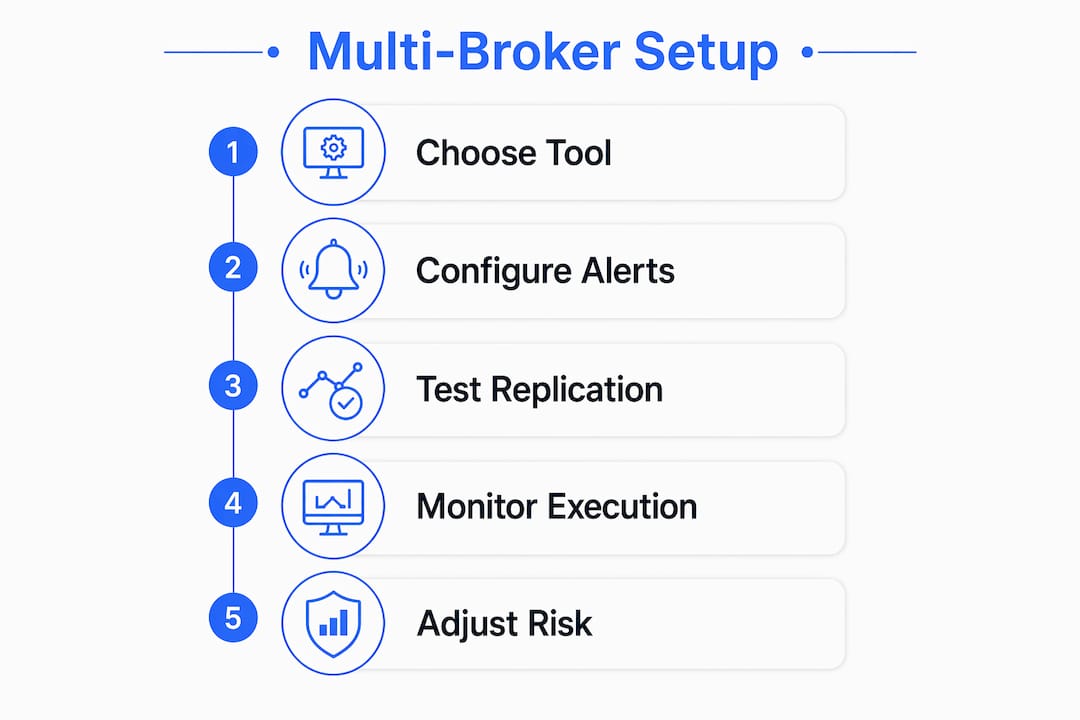
- Choose your replication technology. Select a trade copier like AlgoWay or a webhook fan-out receiver based on your signal source and broker compatibility.
- Map instruments across brokers. Verify that every symbol you trade has a confirmed equivalent on each broker platform. Document the mapping before connecting any accounts.
- Define risk and sizing rules per account. Write these down as explicit configuration parameters, not mental notes.
- Run a shadow logging period. Shadow testing for several weeks lets you log fills without risking real capital. This calibrates your copier settings and reveals sizing or latency issues before they cost money.
- Start with small exposure. Go live with reduced position sizes on all accounts. Monitor fill prices, timestamps, and slippage in real time for the first two weeks.
- Set automatic pause triggers. Configure your copier or receiver to pause replication if fill divergence exceeds your threshold or if an order rejection pattern appears.
- Run routine maintenance checks. Review fill logs weekly. Adjust risk rules and symbol mappings as broker conditions change.
The table below shows the most common setup mistakes and how to prevent them:
| Mistake | Prevention |
|---|---|
| Ignoring partial fills | Log fill status per order and set divergence alerts |
| Inconsistent order types | Standardize order type rules in copier configuration |
| No shadow period | Always run at least two weeks of shadow logging before going live |
| Fixed lot sizing | Switch to proportional sizing based on account equity |
| Missing symbol mapping | Audit all instrument names across brokers before connecting |
Why consistent strategy execution across brokers improves operations
Using the same strategy across multiple brokers does more than replicate trades. It creates a controlled environment for comparing broker performance directly. When two accounts receive the same signal, any difference in outcome is a broker execution difference, not a strategy difference. That clarity is valuable.
The operational benefits of a well-configured multi-broker setup include:
- Reduced manual entry errors. Centralized replication removes the need to enter the same order on multiple platforms by hand.
- Counterparty risk reduction. Spreading capital across multiple brokers reduces exposure to any single firm’s operational or financial risk.
- Execution quality benchmarking. Side-by-side fill data reveals which broker consistently delivers better prices on your specific instruments.
- Simultaneous testing and scaling. You can run a strategy at full size on a funded account while testing a parameter adjustment on an evaluation account at the same time.
- Cost optimization. Different brokers charge different commissions and offer different margin rates. A multi-broker setup lets you route volume toward the most cost-effective venue over time.
The key constraint is that every benefit above depends on keeping accounts synchronized. One account that drifts out of alignment distorts every comparison and undermines the risk framework.
Key Takeaways
Multi-broker trade replication works when you combine the right tools with explicit rules and consistent monitoring across every account.
| Point | Details |
|---|---|
| Use a replication tool | Trade copiers like AlgoWay or webhook fan-out receivers automate signal distribution across brokers. |
| Monitor fills per broker | Track entry prices, timestamps, and partial fills to catch divergence before it compounds. |
| Set pause triggers | Automatic pausing on fill divergence or order rejection prevents accounts from drifting apart. |
| Run shadow logging first | Test for at least two weeks without real capital to calibrate settings and catch sizing errors. |
| Use proportional sizing | Base position size on account equity, not fixed lots, to maintain consistent risk across accounts. |
What I’ve learned from running one strategy on multiple accounts
The biggest mistake I see traders make when setting up multi-broker replication is treating it as a one-time configuration task. You set it up, it works for a week, and then a broker changes a margin requirement or a symbol mapping breaks quietly. Accounts start to drift, and you don’t notice until the P&L gap is already significant.
The traders who run this well treat execution monitoring as a daily habit, not an occasional check. They review fill logs every morning the same way a pilot reviews a pre-flight checklist. The process is not exciting, but it is what keeps accounts aligned over months and years.
The other thing I’d push back on is the expectation of perfect replication. Identical fills across brokers are not realistic because liquidity pools and matching engines differ. The goal is controlled deviation, not zero deviation. Set your thresholds, monitor against them, and act when they are breached. That mindset shift makes multi-broker execution far less frustrating and far more durable.
Start smaller than you think you need to. Run the shadow period even when it feels unnecessary. The traders who skip it almost always regret it.
— Kenten
Tradingfloor: one strategy, every account, no manual entry
Tradingfloor is built specifically for traders who want to run one strategy across multiple funded and evaluation accounts without managing separate order entries on each platform.

Tradingfloor mirrors the leader account’s net position in real time across every connected account, including those on Tradovate and TopstepX. Each follower account keeps its own risk controls, so a position limit on one account does not affect another. The platform runs in the cloud, so there is nothing to install, and it works from any device. Real-time notifications alert you the moment a fill diverges or a limit is approached. See how Tradingfloor works and check the available plans to find the right fit for your account setup.
FAQ
Can you trade the same strategy on multiple brokers at once?
Yes. Trade copiers and webhook fan-out receivers replicate a single signal to multiple broker accounts simultaneously, with broker-specific sizing and risk rules applied at the destination.
Why does P&L differ across accounts running the same strategy?
Slippage, partial fills, and latency differences between brokers cause P&L to diverge even when every account receives the same signal at the same time.
What is shadow logging in a multi-broker setup?
Shadow logging records fills and order events without executing real trades. Running it for at least two weeks before going live reveals sizing errors and latency issues before they affect real capital.
How do I prevent accounts from drifting apart over time?
Set automatic pause triggers on fill divergence or order rejection patterns, and review fill logs on a regular schedule to catch configuration drift before it compounds.
Does Tradingfloor work with funded and evaluation accounts?
Tradingfloor supports both funded and evaluation accounts, including those on Tradovate and TopstepX, with individual risk controls per account so each account stays within its own limits.
Recommended
Article generated by BabyLoveGrowth
Trading Floor mirrors every trade across your Tradovate, TopstepX & Rithmic accounts in real time, from $25/mo.
Start copying →