Multi-Account Trade Execution Explained for Prop Traders

Multi-account trade execution is the process of placing and managing trades across multiple trading accounts simultaneously from a single system or interface. Professional traders use this approach to scale capital, test strategies across different risk environments, and maximize funded account allocations. Experienced traders commonly operate 5–20 accounts, while beginners typically start with 2–3 to build competency before adding complexity. Getting multi-account trade execution explained correctly from the start prevents the costly mistakes that derail most traders who scale too fast without the right systems in place.
What are the primary methods for multi-account trade execution?
Three core methods exist for executing trades across multiple accounts: manual execution, trade copier software, and multi-account manager systems, known as MAM or PAMM setups.
Manual execution means placing each trade individually in every account. This works for 2–3 accounts but breaks down fast. Timing gaps between entries create mismatched fills, and a single missed stop loss can blow one account while others recover. The cognitive load alone makes it unsustainable beyond a handful of accounts.

Trade copier software solves the timing problem by automatically replicating trades from a master account to one or more follower accounts in real time. Third-party trade copiers offer more flexibility and customization than native platform copiers, reducing errors like order delays, wrong sizing, and failed stop loss synchronization. Most serious traders running a multi-account prop trading workflow rely on third-party copiers for exactly this reason.
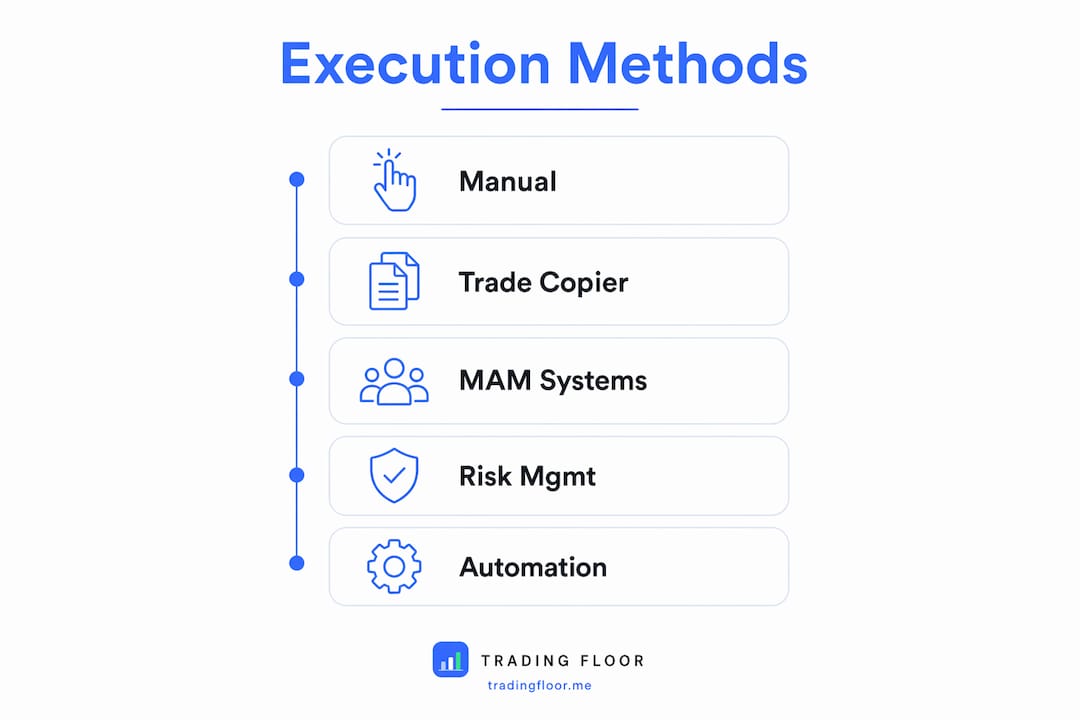
MAM systems go further. MAM software integrated with MT4/MT5 distributes trades proportionally across linked accounts based on each account’s equity or balance. This is the preferred setup for traders managing large account clusters with varying capital sizes.
| Method | Best for | Key limitation |
|---|---|---|
| Manual execution | 2–3 accounts | Timing gaps and human error |
| Trade copier software | 3–15 accounts | Requires configuration per account |
| MAM/PAMM systems | 10+ accounts | Higher setup complexity |
Each method scales differently. The right choice depends on how many accounts you run, how different their sizes are, and how much automation you want in your workflow.
How can traders manage risks and compliance across multiple accounts?
Risk management in a multi-account setup is not additive. This is the most misunderstood concept in the space.
Misunderstanding aggregate drawdown causes simultaneous failures across accounts when a single market move breaches each account’s individual limit. Traders assume that spreading capital across accounts reduces total risk. It does not, if every account takes the same trade at the same size. One bad move hits every account at once, and all of them breach their drawdown limits simultaneously.
The correct mental model is to treat each account as an independent business. Each account has its own daily loss cap, its own drawdown limit, and its own compliance rules. Industry guidance caps risk per trade at 0.25%–1% of total equity, with automated monitors set to flatten positions before the max daily drawdown is reached. That automation removes the emotional decision of whether to close a losing trade.
Compliance adds another layer. Major prop firms require independent trading decisions per account. Identical simultaneous trades across accounts can trigger signal mimicry flags in their risk systems. This does not mean you cannot copy trades. It means you need to understand each firm’s specific rules before you link accounts together.
Key compliance rules to check before linking accounts:
- Daily loss limits: Most firms set these at 2%–5% of account balance. Know the exact number for each account.
- Consistency rules: Some firms require that no single day’s profit exceeds a set percentage of total profits.
- Prohibited strategies: Certain firms ban news trading, latency arbitrage, or holding positions over weekends.
- Account independence clauses: Some firms explicitly prohibit copying between accounts held at the same firm.
“Treat each funded account like its own business. The moment you start thinking of them as one pooled position, you set yourself up to lose all of them at once.”
Pro Tip: Set your copier’s lot size multiplier to zero on any account that is within 1% of its daily loss limit. This prevents the copier from adding new positions to an account that is already at risk.
What are best practices for setting up a multi-account execution system?
Setup discipline separates traders who scale successfully from those who blow multiple accounts in a single session.
Start small and cluster accounts in batches
Copy trading in batches of 2–3 accounts maximum limits the damage from any single bad trade. Keep at least one account trading independently, not linked to the copier. That independent account acts as a control. If it performs better than your copied accounts, your copier configuration needs adjustment.
Use ratio-based position sizing
Ratio-based scaling with multipliers keeps risk proportional across accounts of different sizes. A $50,000 account should not take the same lot size as a $25,000 account. Set a 0.5x multiplier on the smaller account so both accounts risk the same percentage of equity per trade. This is the foundation of a sound scale investment strategy across multiple accounts.
Prefer market orders over limit orders
Market orders ensure simultaneous fills across all linked accounts. Limit orders create partial fill risk. One account gets filled at the target price while another misses the entry entirely. The result is mismatched positions that make performance comparison meaningless and risk management inconsistent.
Test on demo or micro accounts first
Never deploy a new copier configuration on live funded accounts. Run it on demo accounts or micro-lot accounts for at least two weeks. Check that every trade replicates correctly, that stop losses transfer accurately, and that the lot sizing multipliers produce the intended position sizes.
Pro Tip: Use a VPS (virtual private server) to host your trade copier software. A VPS keeps the copier running 24/7 without depending on your local internet connection or computer uptime. Latency below 10 milliseconds between the VPS and your broker’s server is the standard target.
Automate position flattening
Server-side automation tools enforce position flattening before daily cutoff times and before drawdown limits are breached. This removes the human tendency to hold a losing trade hoping for a reversal. Set hard rules: if an account hits 80% of its daily loss limit, the automation closes all open positions and blocks new entries for the rest of the session.
What technology supports a reliable multi-account trading workflow?
The technology stack for multi-account trading has three layers: the execution platform, the copier or MAM layer, and the monitoring layer.
Execution platforms like MT4 and MT5 remain the most widely supported environments for trade copier and MAM integrations. Most third-party copier software connects to these platforms through expert advisors or server-side APIs. Tradingfloor works with platforms including Tradovate and TopstepX, which expands options for futures traders who operate outside the traditional forex ecosystem.
The copier or MAM layer handles trade replication. Key features to evaluate when selecting software include:
- Real-time synchronization with latency under 100 milliseconds
- Per-account lot size multipliers and risk caps
- Automatic stop loss and take profit replication
- Position netting to mirror the leader’s net position rather than individual orders
- Execution verification logs showing fill prices and timestamps for each account
The monitoring layer provides oversight. This includes dashboards showing open positions across all accounts, daily P&L by account, and alerts when any account approaches its drawdown limit. Without a monitoring layer, you are flying blind across multiple accounts.
| Feature | Why it matters |
|---|---|
| Real-time sync | Prevents timing gaps that create mismatched positions |
| Per-account risk caps | Stops the copier from breaching individual account limits |
| Net position mirroring | Reflects true exposure rather than stacking duplicate orders |
| Execution logs | Provides audit trail for compliance and performance review |
| Auto-flatten rules | Removes emotional decision-making at critical loss thresholds |
Tradingfloor addresses this entire stack in one cloud-based application. It mirrors the leader’s net position across funded and evaluation accounts, applies individual risk controls per account, and runs from any device without installation.
Key Takeaways
Effective multi-account trade execution requires independent risk management per account, ratio-based position sizing, and automated controls to prevent simultaneous drawdown breaches across all linked accounts.
| Point | Details |
|---|---|
| Treat accounts independently | Each account needs its own risk limits, not a shared aggregate drawdown target. |
| Use ratio-based sizing | Apply lot multipliers so every account risks the same percentage of its equity. |
| Prefer market orders | Market orders guarantee simultaneous fills and prevent mismatched positions. |
| Automate position flattening | Set hard rules to close positions before daily loss limits are breached. |
| Test before going live | Run any new copier configuration on demo accounts for at least two weeks first. |
The part most traders get wrong about scaling accounts
Most traders who fail at multi-account management do not fail because of bad strategy. They fail because they treat their account cluster as one big position instead of a collection of independent businesses.
I have watched traders link 10 accounts to a single master, run a solid win rate for weeks, and then lose all 10 accounts in one session because a news event moved against them before the copier could flatten positions. The strategy was fine. The infrastructure was not. No batch limits, no per-account stop rules, no automation to cut exposure when one account got close to its daily limit.
The traders who scale successfully do something counterintuitive. They keep some accounts off the copier entirely. Those accounts trade manually or with a different strategy. This is not inefficiency. It is deliberate diversification of execution risk. If the copier fails, if the master account takes a bad trade, or if a broker has a technical issue, those independent accounts keep running.
The other thing I see overlooked constantly is the compliance angle. Firms update their rules. An account that was fine to copy last month might now violate a new consistency rule or an updated policy on simultaneous entries. Checking firm rules once and never revisiting them is a real risk. Build a monthly review into your workflow.
The traders who last in this space are not the ones with the most accounts. They are the ones who treat each account with the same discipline they would give to a single funded account. Scale is earned through process, not through adding more accounts to a copier and hoping the math works out.
— KennyTrades
How Tradingfloor supports your multi-account execution setup
Running multiple funded accounts without a reliable execution layer is where most traders lose money they should have kept.
Tradingfloor is built specifically for prop traders who need one leader account to drive positions across multiple funded and evaluation accounts in real time. It mirrors net positions rather than individual signals, which means your follower accounts reflect your actual exposure at all times. Individual risk controls apply per account, so one account approaching its daily limit does not affect the others. The platform runs in the cloud, works on any device, and supports brokers including Tradovate and TopstepX. See how it works and check the available plans to find the right setup for your account count and trading style.
FAQ
What is multi-account trade execution?
Multi-account trade execution is the process of placing and managing trades across multiple trading accounts simultaneously from a single system. Traders use it to scale funded accounts, test strategies, and manage capital across different prop firms.
How many accounts can a trader realistically manage?
Experienced traders operate 5–20 accounts, but beginners should start with 2–3 accounts to build the systems and discipline needed before scaling further.
Does copying trades across accounts violate prop firm rules?
Prop firms require independent trading decisions per account. Identical simultaneous trades can trigger signal mimicry flags, so traders must review each firm’s specific policies before linking accounts.
What is the safest way to size positions across accounts of different sizes?
Ratio-based sizing with multipliers keeps risk proportional. A 0.5x multiplier on a half-size account ensures both accounts risk the same percentage of equity on every trade.
Why do market orders work better than limit orders in multi-account setups?
Market orders produce simultaneous fills across all linked accounts. Limit orders risk partial fills, which creates mismatched positions and makes risk management inconsistent across the account cluster.
Recommended
Trading Floor mirrors every trade across your Tradovate, TopstepX & Rithmic accounts in real time, from $25/mo.
Start copying →